
You can use UQ mobile
in English!

The translated version is provided to improve customer convenience. Unless otherwise specified, the Japanese version shall be the official content for our website, applications, terms of use, various policies, and other notices. In the event of any discrepancy between the translated version and the Japanese version, the Japanese version shall prevail. We do not guarantee that the translated version will always be available. Additionally, Japanese law shall apply to any disputes related to this service. Depending on the language selected, some features and customer support may not be available.

Você pode utilizar o
UQ mobile em português!

A versão traduzida é fornecida com o objetivo de melhorar a conveniência dos clientes. Exceto quando especificado de outra forma, a versão em japonês é a versão oficial do nosso site, aplicativos, termos de uso, várias políticas e outros avisos. Em caso de divergência entre o conteúdo da versão traduzida e da versão em japonês, a versão em japonês prevalecerá. Não garantimos que a versão traduzida esteja sempre disponível. Além disso, a lei japonesa será aplicada a quaisquer disputas relacionadas a este serviço. Dependendo do idioma selecionado, algumas funções e o suporte ao cliente podem não estar disponíveis.

您可以使用简体中文
操作 UQ mobile!

提供翻译版本是为了方便用户。除非另有规定,本公司网站、应用程序、使用条款、各项政策及其他通知,均以日文版本为准。若翻译版本与日文版本的内容有所出入,将以日文版本为准。我们无法保证会持续提供翻译服务。此外,与本服务相关的纠纷将适用日本法律。根据所选择的语言,部分功能及客户支持服务可能无法使用。

撮影によるご本人さま確認手順について

STEP
1

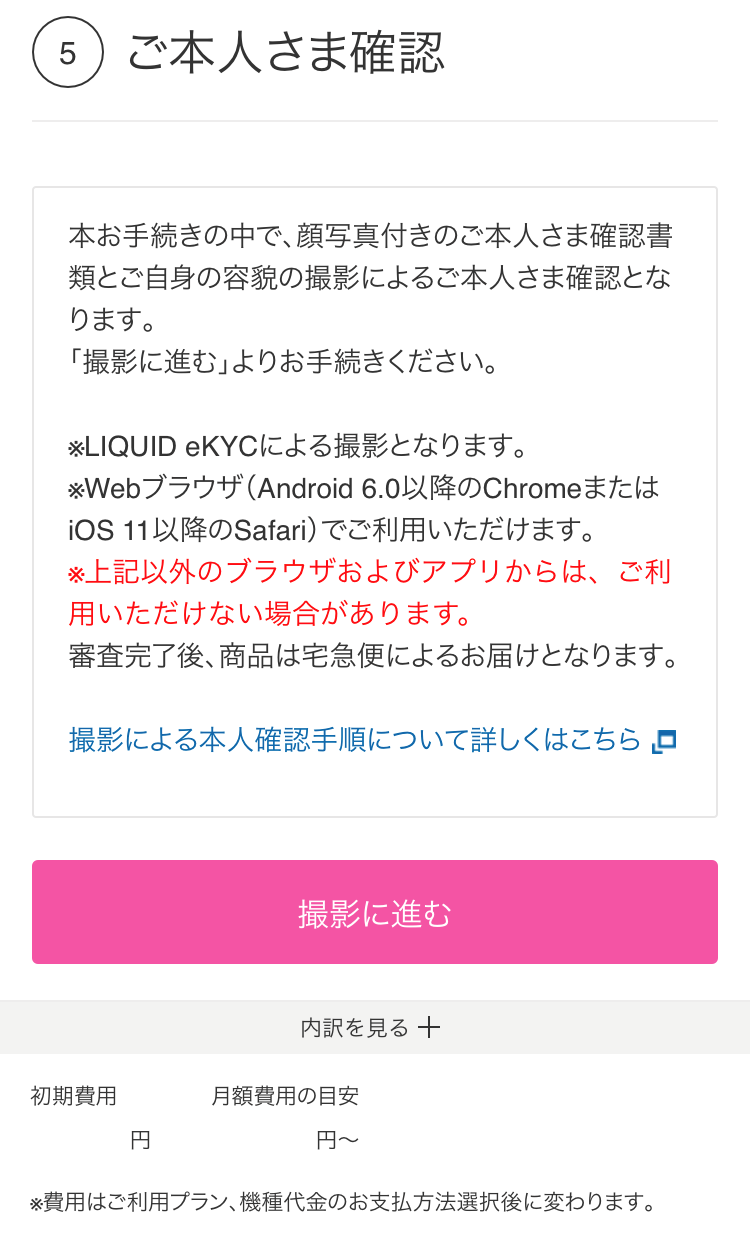
申し込み画面の「ご利用中機種の下取り・返却」項目で「いますぐ本人確認書類を撮影」を選択し、画面の表示に沿って進みます。
STEP
2

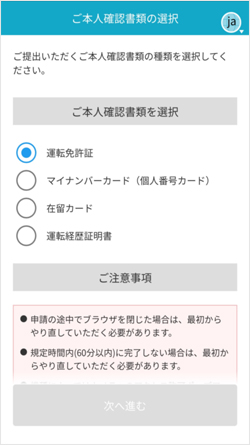
本人確認書類の種類を選択します。
STEP
3

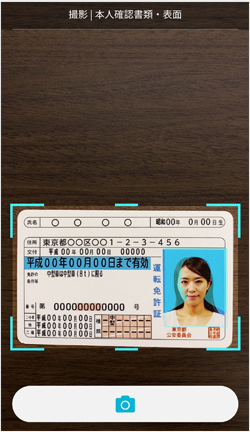
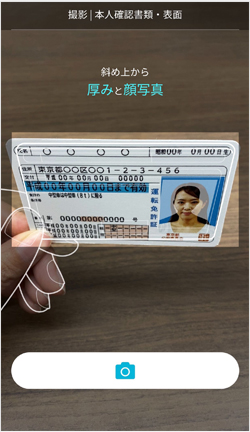
案内に従って本人確認書類を撮影します。

①表面
②斜め上
③裏面
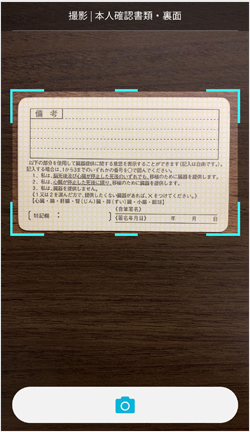
撮影時のポイント
・明るい場所で撮影してください。
・白以外の無地の紙や机の上で撮影してください。

STEP
4

案内に従って顔(正面など)を撮影し、本人確認の申請が完了します。

①正面
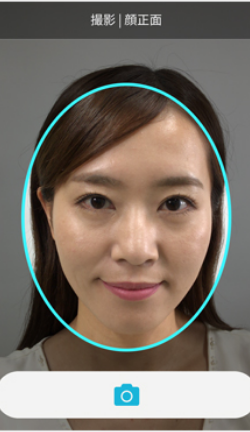
②首振り
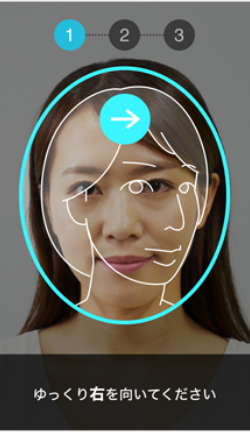
撮影時のポイント
・明るい場所で撮影してください。
・帽子、サングラス、マスクなどは外してください。

以上でご本人さま確認は終了です